








Description
Product Overview
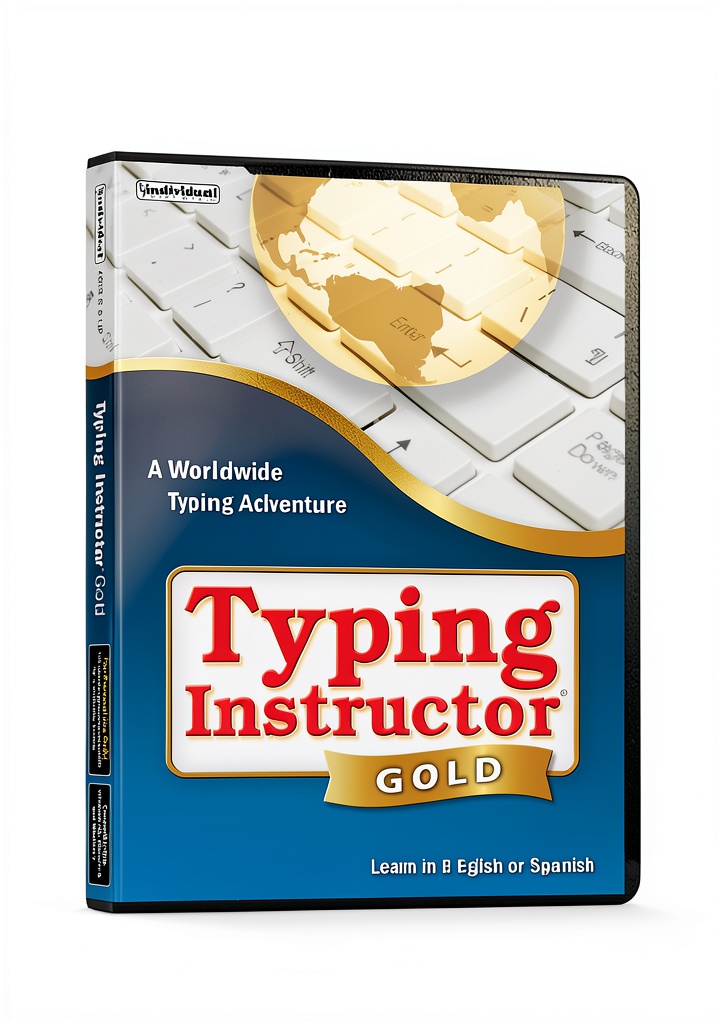
Typing Instructor from Individual Software is a comprehensive, full‑screen typing education program designed for learners aged 12 months and up. Housed in a compact 0.56 x 5.31 x 7.5‑inch package weighing just 2.89 ounces, the software is delivered on a secure activation code that unlocks the latest version. The program features a worldwide adventure theme that transforms typing practice into an engaging journey, complete with rich colors and animated feedback. Users can select from 20 distinct typing plans, each mapped to National, State, and Common Core standards, ensuring that the curriculum meets educational requirements while fostering measurable skill growth. The interface is optimized for both Windows and macOS, offering smooth navigation, customizable lesson pacing, and real‑time performance metrics.
Usage
Typing Instructor is ideal for home schooling, classroom integration, and independent study. Young children can start with basic finger placement games that introduce the keyboard in a playful manner, while older students and adults benefit from structured drills that target speed, accuracy, and endurance. The full‑screen mode eliminates distractions, making it perfect for use on laptops, desktop monitors, or large interactive displays in computer labs. Whether a user is preparing for standardized tests, improving workplace productivity, or simply enjoying a gamified learning experience, the software adapts to varied environments such as quiet study rooms, bustling classrooms, or on‑the‑go tablet sessions.
Why Choose Us
Individual Software has a reputation for delivering reliable educational tools, and Typing Instructor is no exception. The product is not discontinued and continues to receive updates that refine lesson content and compatibility. Each purchase includes a sealed factory‑fresh box, guaranteeing an unused activation code and the most current software version. Customers benefit from dedicated technical support—call 800‑822‑3522 x136 or email [email protected] for assistance with installation, activation, or troubleshooting. With a 4.5‑star rating from over 130 verified buyers, the program demonstrates consistent satisfaction and proven effectiveness in improving typing proficiency.
Key Features
- Full‑screen, immersive adventure theme that keeps learners motivated.
- 20 curriculum plans aligned with national education standards for systematic progress.
- Real‑time feedback on speed, accuracy, and error patterns to guide improvement.
- Multi‑age suitability—from toddlers learning key locations to adults mastering high‑speed typing.
- Free lifetime technical support and regular software updates for continued performance.
FAQ
What operating systems does Typing Instructor support?
The software runs on Windows 7 or later and macOS 10.12 or newer, providing broad compatibility for most personal computers and school labs.
Can I track my child’s progress over time?
Yes, the program includes detailed progress reports that display typing speed, accuracy percentages, and improvement trends across each lesson and curriculum plan.
Is there a trial version available?
Individual Software offers a limited‑time demo that allows users to experience the full‑screen adventure and try a sample lesson before purchasing the full product.
How do I install the software using the activation code?
After downloading the installer from the provided link, launch the setup, enter the activation code included in the box when prompted, and follow the on‑screen instructions to complete installation.
What if I encounter technical issues during installation?
Contact Individual Software’s Customer Care at 800‑822‑3522 x136 or email [email protected]. Support staff are available to resolve activation problems, compatibility questions, and other technical concerns.




 Arms Control Kindle Book Amazon Print Replica 310p
  Oxford University Press Arms Control Kindle eBook
Reviews
There are no reviews yet.